Monday, April 27, 2015

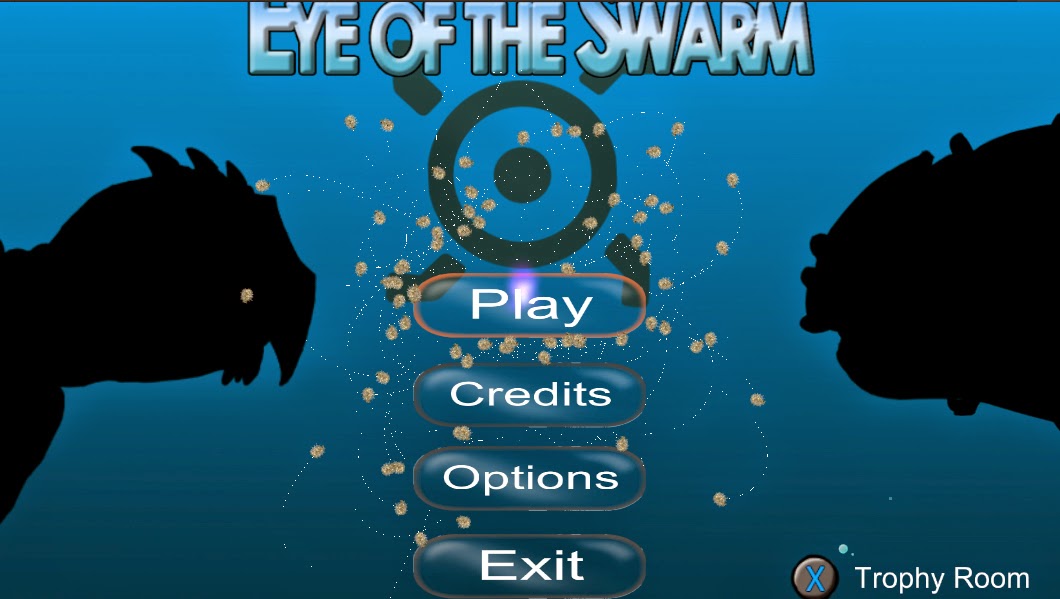
Eye of the Swarm Officially Released


Eye of the Swarm has now been officially published on Desura. I am very proud of the final product and happy with everyone on the team to create this video game during the past school year. Play it, it's free, and let me know what you think. Hopefully, I will get a final retrospective out about my experiences with Eye of the Swarm with all the good and all the bad.

For the moment, I am focused on trying to graduate and get a job in the video game industry. I have a potential job at Hi-Rez as I've interviewed with the company in Atlanta. I really do hope I get the job as I am very excited about what Hi-Rez is doing and what they want to do.

*Note - The gameplay video is from Games That I Play which has also published a review of the game.

Friday, April 17, 2015

Eye of the Swarm is Coming to Desura

Desura has officially accepted Eye of the Swarm for publish. It's offical publish date will be May 19; however, we hope to be able to get it published April 28 when we show off the game at EAE day. This is very exciting being able to get a game I made published, even if it is just Desura. I would like to thank all my teammates for the hard work this year to be able to get a great game out and ready for the world.

Updated Trophy Room


I find it amazing how awesome some art work actually helps me write better code. When I got the new art for the trophy room, each trophy was encased in a treasure chest where it would open when its correlated level/challenge was beaten spawning the trophy. The old trophy room was something I had to get up fast for a presentation of the concept, and as such I stuck the spawning code inside the main menu controller that controlled the transition between the main menu and the trophy room. This obviously had to change if I wanted to have n number of treasure chests that could spawn any number of trophies.

This allowed me to generalize the trophy spawn code in a treasure chest class that would be linked to a challenge and would spawn n number of trophies (the Shorca trophy was each of its armor pieces). When a challenge level is beaten and the player goes to the trophy room, the treasure chest will open up and eject the trophy out of it. I probably would have never gotten around to writing better trophy spawner code had it not been for the updated art. Let this be a lesson to artists that the art they give can influence code and if done right, can actually improve code practices.

Sunday, April 5, 2015

Getting Stuck in the Wall

Collision detection, if implemented properly, can take care of many collision issues; however, there are some cases where a collision doesn't happen as it should and an object is now stuck on the other side of the wall. This happens sometimes Eye of the Swarm. All levels are enclosed arenas where the borders are defined by an edge collider in Unity. There are cases when a swarm member gets stuck on the other side of the wall. The swarm member doesn't know that its on the other side of the wall and constantly pressing against the wall trying to get back to the player's position. This problem has plagued us for several months putting it on the back-burner thinking of a solution. There is a good solution to this problem, but the way Unity handles it makes the solution difficult to implement.

The arena border in the game is an organic blob that completely surrounds the area. Using linear algebra, there is an algorithm that is used to see if an object is inside an organic blob or outside. Starting from the position of the minion that is believed to be stuck, a ray will be cast from any direction and counts how many times it collides with the shape. If it intersects an even number of times, then it is outside; otherwise, it is inside. This algorithm works for any shaped blob no matter how concave or convex, so long as the shape is enclosed.


There are some problems with this algorithm depending on the direction the ray goes out. Since this can work with concave shapes as well, there is a chance that an intersection will also be a tangent on the intersecting point (floating point imprecision doesn't help as well). There are ways around this such as running the algorithm 3 times with 3 different directions and take the mode of the intersections. This should not be a problem with our game since there aren't that many points that could also act as a tangent. Also if such a tangent is found, then the next time the algorithm is run on the next frame, a different ray will be used and find the true number of intersections. 


There is also another case where this algorithm may run into problems. The arctic level has icebergs in which the swarm should not get trapped in (the iceberg also uses edge collider). Again this shouldn't be problem because if the swarm member is outside the iceberg, then it will add an even number to the total number intersections and won't affect the final calculation for the number of intersections with the border. If the swarm is stuck inside, then it will add an odd number to the total number of intersections and bring the number to an even number showing that it is stuck. 


This algorithm is all fine and good if the ray tracer is good. Unity has a ray caster which shows how many colliders it has gone through. The edge collider that constitutes the border is one collider. It doesn't matter how many times it has gone through the edge collider, it will only show that it went through the collider. The only object that shows how many times it did collide with a collider is Unity's Collision. This throws off the algorithm since it won't know how many collision point there are. We couldn't use this great solution unless we wanted to make our own ray tracer which we just didn't have the time to do, nor should we since that falls on Unity.

There are several other ways to detect if an object is outside the wall. We found a good way that wasn't fool proof, but ensured that no minion would ever get stuck in the wall. This solution is the bounce back algorithm. The swarm bounces off the wall using the collisions normal and reflection code. Using the normal of the collision, we move the swarm a little in that direction, giving them a bounce-back, that is ensured to keep the swarm on one side of the wall. The normal of the collision is always pointed towards the center of the collider so no matter what side of the wall a minion is on, it will still move in the same direction.

This works for the wall collider since the swarm is enclosed in it and the normal is always pointed towards the center of the arena area. This is not the case with icebergs in the arctic level. The center of the iceberg is not where the swarm should back back from. The code is the same, it's just in this context the trajectory of the bounce back will be inverted sending the swarm away from the iceberg. There is one special case with the arctic with a tight corner between an iceberg and the wall where both send the swarm into each other with the bounce back. A not so good fix for this is to artificially set the center of the collider further to its bottom and weighted towards the tight corner so that the normal is pointed away from the wall. This isn't a fix, but more a band-aid; however, it does relieve the problem so that it isn't so noticeable and even though the swarm still goes through the wall and iceberg, no swarm member will ever get stuck.

Getting ready to publish


Eye of the Swarm is in it's last sprint before we send the build out for publishing. The publishing plans have changed. We originally wanted to go for Xbox, but after talking to the ID@Xbox people at GDC, they felt we didn't have enough content to justify an Xbox release (they wanted at least one more boss with more challenges). After this, we decided to now publish on Desura, which is the indie and small company version of Steam. The sprint will end April 14 in which we will send the build off to Desura. We feel that they will accept the build and publish it later in the week (they are known for fast turn-around). A future post will give the exact details of the publish date when they come.

As such, nothing new will be put in the game. All the programmers are fixing bugs and polishing the mechanics of the game to get it ready. I've been clearing 5 - 10 bugs a week and will go into more detail about the more notable bugs in future blog posts. Because we are going on PC, part of the polishing was a better integration of the keyboard for those who don't have controllers. The way I set up the inputs for the keyboard was a 1:1 mapping of the keyboard to a controller button. This was purely for debugging purposes as we thought that we would be going on Xbox One.

Part of this switch, I've implemented an option to use either keyboard or controller based on user preference. No matter what input is used, the game will recognize both. The option switch will only change the UI that shows what buttons to press to do certain actions. Not only did this require a UI switch in the menu, but a more integrated switch with tutorial panels and win/lose splash screens. This required writing a script that would take in two sprites for each input method.

Showing the keys to use, we needed key art. All the artists were busy with more important art and since I needed placeholder art to use as I implement the switching code I've decided to make my own set. I have some experience with Photoshop and can manipulate images to convey what I want; however, I do not posses the skills to do what our very talented artists do. After creating the keyboard set, they looked rather nice, but I wanted to see what the artist assigned to create these actual keys were at. If the artist was already working on them, then a lot of time was wasted creating non-usable assets and if they didn't start, then we had a good set (according to me at least) and save the artist some time so he could work on more important work. Turns out he and the lead artist liked the set enough that they decided to use it in the menu so they wouldn't have to create the assets. It is nice to have some of my own art assets in the game, even though they don't look as nice as the other artists artwork.


Doing this also allowed me to fix some UI bugs with the tutorial panels. The panels would swipe from one panel to the next, but the animation of swipe was based on frame rate and not a fixed time. This caused different behaviors based on the PC that was being used. The fix was simple to implement, but took too long to get to since there is always a big list of bugs to get through.

The game is going pretty well, and we are excited to publish the game to public. The artists also got some new loading screens into the game depending on if the user is loading a boss or the main menu.


Friday, February 27, 2015

Why is there a goto in my code

As I've explored before, the Unity team has made design decisions that force the programmer to use bad coding practices. As I've spent the past couple of months working with Unity, I've developed a love/hate relationship with it. Mostly what fuels my love is that I can use C# which is my favorite language to program in, though Mono isn't helping. It shocked and surprised me when my programming team was working on a problem for the next build had to put in a goto statement. We had a switch case in which we needed a case to fall through to the next case. This is done easily in C++.

switch(condition)
{
    case 0:
    case 1:
        // do some code
        break;
    case 2:
        // do some code
    default:
        // shared code
        break;
}


C# is different in that the fallthrough from case 0 to case 1 is allowed but the fallthrough from case 2 to default is not allowed. In order to get the fallthrough this is what must be done.

switch(condition)
{
    case 0:
    case 1:
        // do some code
        break;
    case 2:
        // do some code

        goto default;  
    default:

        // shared code
        break;
}


It should be obvious why this looks bad. Goto's have been the boogeyman of software engineering that allows subtle bugs and destroys good control flow. It's hatred is so universal that the first rule at many to all software companies is to never use them. Then why did the people at Microsoft decide to use goto to explicitly declare a fallthrough?

Not explicitly declaring a fallthrough does cause subtle bugs as it is possible to forget to include a break and have the code fall through to the next case. In order to avoid allowing programmers to avoid this subtle bug, they had two choices: declare a new keyword or use an old keyword. Declaring a new keyword, such as fallthrough, would give the programmer one less choice of a variable name and add complexity to their work of implementing it into the compiler. Using an old keyword, they had two choices: continue and goto. Goto isn't used as much, or at all, as continue and is a better choice as a case is a label and switching a condition is basically a goto. So the goto was the best choice given these assumptions.

I believe there is a better solution to this problem. Apple released a new, unfinished, language called swift so that mobile developers don't have to use Objective-C to write iOS apps. In their switch-case, there is no break. Each case breaks by default and in order to fallthrough that keyword has to be explicitly declared. I like this paradigm since it avoids the subtle fallthrough bugs and takes out the work of always writing break. I don't think Microsoft will do this since it does require an overhaul of how the compiler handles switch-case.

Does it suck that there is a goto statement in the codebase, yeah. However, this use of goto is useful because that's the only way to fallthrough to the next case so we don't have to replicate code. It's also not used in a way that breaks codeflow or creates subtle bugs from jumping out of a method from multiple mid-method points.

Saturday, February 21, 2015

Embedded Main Menu

As part of the overhaul of the main menu, my team made that decision to add flash and include our mechanic more. When seeing other games use their mechanics or gameplay in other portions that were not the core game, we decided that we should make our main menu embedded and let the swarm be the cursor. This also helped solve a big problem that we were going back and forth on. We need a way to let the user get use to manipulating the swarm and creating a new level was just more work than what we had to make it good. By having the main menu also serve as this room, it would provide a small side-activity to get used to the mechanic before playing a boss. My job was to incorporate the mechanics of an embedded menu system.


The standard way we made a menu system is to use Unity's new UI system. The canvas of this system wouldn't work in this case since the menu had to be embedded in the level and not be centered in screen. I had to rewrite a lot of the UI code to recognize if the player is hovering over it, collide with the swarm so they will bounce off it, and set up delegates so that the right functionality can be triggered.


The second part of the embedded menu is how the level select is set up. The player can hover over any boss and select them. When a boss is selected, then the boss will rise and reveal the main boss level and three additional challenges to the boss. These bosses had to be set up differently since the boss will move out and up. It also required an additional state to the button because the button should still remain active when the player is not over it. 


Setting up the level buttons allowed me to reacquaint myself with Action. As part of the generic button, it had to react to any of the 4 xbox buttons (A, X, Y, B). As part of this delegates were set up for each one, but all of them shared the same functionality if a button was pushed. So when a button was pushed, the delegate was assigned to an action which allowed me to save code.


The next part to get the main menu ready is to set up the trophy room. The trophy room allows the player to play around in a "ball pit" that was similar to the one in Alpha. The ball pit is filled with trophies that the player can unlock such as the Turtle's shell or the Shorca's armor. The trophy room is accessible below the main menu where the user can transfer back and forth.

Tutorial Panels

For the current sprint, I am in charge of overhauling the main menu. Part of the overhaul is that the player needs to know how to play the game. Since the time we have left is so small, a new tutorial level was too expensive for us to make, so instead we opted for the cheap and faster version of tutorial panels. When the player plays either the Turtle or Shorca boss for the first time, it will force them through the panel tutorial. If they have beaten the boss but still want to see the tutorial again, then when they hover over the boss level, selecting "Y" will bring up the panels.


I created a generic panels object that would be given a set of images to swipe through. The image would take up almost all the screen given about 10 pixels of buffer. When the player would want to get to the next panel, then the panels would animate by rotating the image across a pivot offscreen given the effect that it is being swiped off. It also fades out as it is swiping off. The user also has the option to go back to a previous panel. When this happen, then the swipe animation is done in reverse where it will fade in and rotate back to its original position.


This provides a basic way to convey info to the user in a fast and cheap way with a little flair. Obviously, we would like to teach the player to play in a better way, without a tutorial would be awesome; however, time restraints left us to be fast and cheap. I still love the final results and feel that it is a great resource for Eye of the Swarm as it can be used in other contexts if panel information has to be given to the player in other contents. 

Sunday, February 8, 2015

Updated Turtle Movement

When analyzing the turtle, its movement is kinda boring. First off, it will always look to the right in which ever direction it goes and it will always move in a random direction. I had to update the movement of the turtle to provide some interesting behavior. For now, two new behaviors were introduced. When the turtle hangs around a corner for too long, it should return to the center. Determining that the turtle is in the center is easy enough. Having the turtle keep reference to each position for each corner and if the turtle is close enough, it will return to center. It won't go towards the direct center, It will pick a position at a random distance around the origin and go in that direction.

When the turtle health get low, it will forcefully go towards a volcano for protection. When a turtle goes towards a center will always be probabilistic in which the lower the turtle's health, the higher chance it will go towards a volcano. The probability is calculated as 1 - (curHealth / totalHealth) and if a random number from 0 to 1 is below the probability, it will go towards the closest volcano; otherwise, it go in a random direction. These three behaviors of either going towards the center, the corner, or a random direction allows for more interesting movement from the turtle.

Another behavior that I modifies is which volcano the turtle will send a charge towards. Before the change, it will always send the charge at a random volcano. This gave the chance that the same volcano will always be bombarded by charges and have the same volcano always be active. The new behavior wanted a weighted probability to favor the farthest volcano with decreasing probability favoring each subsequent volcano closer to the turtle. This randomness allowed for the same volcano to not be bombarded all the time, but if one does, then it will be the one that is farthest away and won't kill the player in one stroke.

New Gameplay Trailer


We've got a new gameplay trailer for Eye of the Swarm that now features the Shorca boss.

Redoing a Volcano

Part of my last sprint was focused on redesigning and polishing the Turtle Boss while completing the full gameplay of the Shorca boss. I was assigned to the Turtle boss and part of my responsibility was to rework the volcano. The old volcano worked when a charge hit the base of the volcano and ignite an eruption which was just a red rectangle that would go up and then descend. The volcano was also a volcano and cannon in one in which it could either erupt or shoot out fireballs. We decided to split the two into their own in which a volcano could only either erupt or shoot fireballs. Since my responsibility was redoing the volcano, this gave me a chance to recreate the volcano from scratch to get a better feel. Many of the behaviors of the volcano needed to chance such as the fact that there was no warning that a volcano would erupt or that if a charge hit a volcano while it was in the middle of an eruption, a new volcano would be generate and rise as the old one fell.

I also received some new art which allowed me to do more with the design. I created a new volcano spout (the lava that spews) that had three states: rising, neutral, and falling. It was beneficial to do this way since when a charge hit the volcano if it was in any of these states, it would add time onto the spout and send it back to the neutral state in which it would remain up until the time elapsed again. Another factor that made the volcano looked better was the addition of a particle effect that would spew from the base making it look like fire is erupting. Also when a charge hits the volcano base, the volcano would shake side to side using sin.


Wednesday, January 14, 2015

Level Select and Saving

The semester begins again and we only have 2 months before we hit beta and a little over a month after that to get the game to release. In the two months til Beta, the game has to be in a shippable state in which all art and animation is finalized and all levels are complete. After Beta, we take the time to test, fine-tune, and fix bugs. After the good reception we got at EAE Open House, we are invigorated to release the best damn game we can. We decided to only have 3 bosses/levels in which the turtle boss will be simplified to create a good learning environment for the player to get accustomed to the controls and style of play. For this sprint, we are currently creating the Shorca boss which is an Orca that can electrify its armor and release electroballs when an armor piece is destroyed. I've been focusing on two aspects: swarm generation (more to come later) and level progression and saving.

When a player first starts the game, they shouldn't be able to skip to the last level. They need to unlock each level sequentially and be able to go back to previous levels on future replays. This requires the game to save its state so that it can be persistent when the player closes and reloads the game. The data for a saved game needs to be stored in a text file in a location that unity provides. Storing in a text requires a protocol to write in a certain format so that when it reads the save file, it can upload the correct information. Instead of dealing with parsing and protocols, I decided to use my knowledge when I interned at Amazon.

At Amazon, I was working on a cloud computing service that required the service to constantly read and write from a NoSQL database. A queue needed to be stored in the database, so the queue had to be transformed into a format that could be easily sent across a network in packages and stored. The obvious solution was to serialize the queue. This allowed the queue to be easily stored and when I needed to read a queue from the database, I would get the data and be able to deserialize it into a queue data structure. No parsing or anything fancy on my end (except for some encrypting).

By having the save data be a struct with the most important items to be able to load a game state and save it, I could easily store which level had been beaten and which level was still locked. Since we only had 3 levels and weren't going to create any more, I made the decision to hard code levels as bools for speed sake. If given time to go back and redo the system (or my assumption on the levels are wrong), then in the struct, I would have a level dictionary that would store the level name as a key and if it had been unlocked as the value. The level name can be provided from outside the class so there is no hard-coding. Also more elements can be added to struct if there are other game states that we want to save. The game would save whenever a level was beaten without the player ever knowing or having to explicitly save or load a game.

After creating the saving system, I needed to revamp the level select menu. At Alpha, the level select menu was just a sub-menu that would display a list of level names that the player could choose. I got rid of the sub-menu and replaced the play button to go to the new level select menu instead of the first level. The level select now features 3 images, one for each level. The levels that are locked will have a lock symbol on it and the player can only choose unlocked levels. The system works well, but there is one flaw. Since the level menu is in its own .unity file (new level), the music stops when the player goes to the level select, and when the player goes back the music starts up again. This is considered part of the main menu, so the inconsistency is jarring. I either need to make the music persistent between the two scenes, finds a way to make the level menu interact with the regular menu system, or new music can be playing when selecting a level which may be fine. These are design decisions that can be addressed at a later time.


I am very interested to see how the semester goes and am excited to release what should be a great game.

Monday, December 15, 2014

Alpha Trailer

Now that Eye of the Swarm has entered Alpha, we have a trailer to show off and get excitement for the final product. Eye of the Swarm will be released Spring 2015, hopefully on Xbox One.


Friday, December 12, 2014

EAE Open House


Today was the EAE Open House, among the other capstone projects and the master studio thesis games we displayed the alpha build of Eye of the Swarm to students, professors and industry professionals. We were all excited to see how our game would perform among fresh eyes that have not played the game in its earlier stages. We felt the game would do well, but were quite surprised at how well the game would be praised. Not only did the game receive universal praise, but the industry professionals went to the main professors, Robert Kessler and Roger Altizer, to praise our game to them. We received much feedback for ways to improve our game, and as we go into the alpha stage we will implement the feedback that we feel will improve our game for Beta. Overall, I am very happy at the stage our game is in and the positive feedback has relieved the many months of stress and heartache to get our game to fun state. 


Alpha


It is the end of the semester and Eye of the Swarm has now officially entered Alpha. Alpha means that the game is feature complete in which no new mechanics should be implemented. The swarm works in a fluid and nice way and we have a boss fight that feels great. During Alpha, we will implement at least two new bosses and polish them for the final product. Other than that, programming will insist of fixing bugs and fine-tuning mechanics to get the right feel for the game. This past sprint we were rushing to get our game to Alpha and ready for EAE Open Day (presenting the alpha build to our peers).


My main priority was to fix the bugs of swarm and several UI mechanics. I added a Credit Screen, Splash Screen that showed the team's and EAE's logo, and a win screen that teased the next boss. 


When we presented the Alpha build to class, the game was well received by the students and professors alike. Despite all the criticisms we've gotten in the past months and changing the direction of the game almost every sprint, we have a game that is fun to play and that we are proud to present. I, and the team, am really excited to show this game off at EAE Open House and see what feedback we get. 


Sunday, November 30, 2014

Swarm Force

As part of the new direction with only fighting bosses in arena's, attacking a boss weakpoint is dependent on how hard the overall swarm hits the weakpoing. In order for there to do damage, the swarm needs to build up enough force to pack a punch past a threshold. That may be hard to determine by looking at the change of rate of the swarm. Part of my task was to create a way to show how much damage the swarm can do when they strike that is independent of any enemy weakpoint. My first approach was to change the color of the swarm based on their speed; however, when the swarm takes damage, they also change color to signify the swarm has been hurt. So I changed it to have a trail behind the swarm that indicates how much force they would impart on impact. I thought using a particle effect that would emit behind them would create a nice effect. Part of the problem was that the change in force direction was so much that the emitting particles would go in all different direction. It was also hard to distinguish between the particle effect and the swarm. Trying to determine another way to have a stream behind the swarm, I decided to look into the trail renderer that I happened to see when selecting the particle system.

The trail renderer draws a line based on its change in position. While it was possible to change the trail renderer's length based on velocity (or force), I decided it was better to change the color of the line based on a gradient using the velocity (or force). Originally, I had the trail renderer follow the position of the geometric mean of the swarm. Based on the advice of my teammates, I added the trail renderer to each minion in the swarm.

The Trail Renderer normally

The Trail Renderer when the swarm has enough force

Based on the aethestic value of the swarm emiting a trail as they orbit the orb, we all decided this was the best way to show off the force of the swarm and how it will affect the weakpoint of a boss. This does create some performance issues which will be addressed; however, it is not the bottleneck as the collision between the swarm and an enemy weakpoint is where the biggest performance spike is. 

Friday, November 21, 2014

Gravity Well


During class on Tuesday when we presented the sprint build of the game, it did not get the best reception. The main complaints was that they felt the mechanics of the game were too boring. The past two days, we thought about ways of either saving the mechanics we have now or creating a new mechanic that could be completed before two weeks when we have to present at EAE open house. There were two mechanics that we were split on at the meeting: using a gravity well and splitting the swarm between the two joysticks. The split between two joysticks is using the same mechanics as before, except you get rid of the central character and manipulate the swarm the same way. At its current iteration, each minion of the swarm would go towards the joystick point that they were closest to and use boid rules to swarm around that central point. The player could then use the two points to direct the swarm by attacking the enemy at two points and slamming each one into the enemy at its weak point. My idea was to use a gravity well that the swarm would be attracted to. The player could then use the right joystick to add direction onto the swarm to create a directional attack. If the swarm go too wild, then the player could create a dampening field that would increase its gravitational pull and slow the swarm caught in it to an insignificant speed. I was tasked to prototype this so that the team could play with both and get a better idea which mechanic would be more fun.

The above video shows that implementation (though it still needs work with fine-tuning). When it starts, it just shows the swarm orbiting around the orb. At about 15 seconds in, I move the right joystick to add the offset on the swarm and give them direction. At about 36 seconds, I use the dampening field and show its effects.

In video games, there are two main ways to tackle a physics problem. The first way is to fake the physics and use animations and scripted events to imitate a physics problem. This gives the programmer and player more control over the object; however, the downfall is that its too jilted and stiff and  doesn't look right. The second way is to use a more dynamic approach by essentially creating a simulator that calculates the next points using known physics equations. This create a more natural feeling to the movement of the object, but it takes control out of the hand of the player and is damn difficult to get right. The difficult part is all the constants and variables. It would be a miracle if I could use the gravitational constant of the universe for finding the force of gravity, But it such a low number that its decimal is on the order of magnitude of 6. This would make objects too slow. Use a number too large and the objects move too fast and too out of control. There are many things that can go wrong when using the dynamic approach, but if fine-tuned correctly can create such beautiful motion and animation with an amazing feeling. That's why I like using the dynamic approach over the static, scripted approach that many of my friends have tried getting me to use. I too must accept facts that if we can't get the feeling we want, we don't have the time to play with it and get the right feeling in under three weeks. We may have to use the scripted approach or go with another mechanic.

Wednesday, November 19, 2014

Globals Maybe Evil

95% of the time, global variables are more evil than goto. Good software design demands that a variable not be more accessible than it should be. If other objects need the variable, then there are ways to pass the information without making it available to everyone and without checking for misuse. The only time a global should be public if its a static const (or just a const), since there is no possible misuse since other objects can only read the data. In game development, using static consts is how properties of objects, such as velocity at certain states or values that a conditional needs to pass, are kept and defined. The main complaint of this approach is that the value cannot be reassigned and the game will need to be recompiled in order to try a different value. This simply isn't true, with knowledge of debugging, static consts can be changed in memory to reflect a different value without recompiling. With these tools, Unity gives the use of creating public globals that can be edited from the inspector. These values can even be changed while the game is running.

To many, this option seems quite attractive. When I started in Unity 3 years, this option seemed attractive. Now that I am a much better software engineer now than I was then, I know better. The only value of this approach is passing in game object prefabs and textures than using GameObject.Load() which has worse performance than using a public variable. Even then, there is no reason to make it public for all to read and change without testing the data. Data should always be tested, no matter who's giving it. By using a single point of entry for data to be written to a variable, such as a setter, then there it can be safely assumed that the variable used from then on shouldn't need additional testing. However, if the data can be changed from anywhere at anytime, then the data will constantly need to be tested and vetted for correctness. This is a horrible practice and requires more code than is necessary.

In Unity, all game objects are spilt into two: the global prefab and a specific instance in the game. Public values can be changed in both with the prefab affecting all instances, but changing the value of an instance will not affect the prefab or any other instance. This seems to make sense on the surface, until you realize what these values are suppose to represent. These values are suppose to replace static consts that can be changed to get the right value. The speed of a game object should not be represented in the inspector to be changed arbitrarily, instead it should have const values that can affect the true speed such as acceleration, min/max speeds, or speeds depending on state. Why would these values need to be changed arbitrarily on instance. Why should one instance need to have a larger max speed than another? If such a difference needs to established, then the variable should never have been a static const in the first place. That value should be established in the object itself or established in the object that creates the entity and passed to the newly created entity.

If the public variable can be affected in two different places, that creates many subtle bugs that may be hard to track. When testing a game object, the values are generally changed in the instance inspector and not the prefab. When the right values are found, more often than those changes aren't saved back into the prefab. Sometimes they are, and sometimes the values are directly edited into the prefab; however, there have been many times that I saved a value in the prefab, but it didn't percolate into all the instances of the game object.

Despite everything I stated, there is always the biggest reason why using public variables to directly impact what should be a static const: anyone can access it. I already showed that when letting anyone access it, you need to test the data constantly; however, this approach gives more scope to the variable than it needs to. The only object that should access the variable is the inspector. No other game object, or Unity Engine, needs to access this variable and the fact they do have access is a very scary thing. I feel that using a public variable give way more power and control to everything than what is gained from the convenience of directly updating the variable at runtime. A global variable has created many subtle bugs that are hard to track down and fix.

At some point, the team at Unity decided this was one of the worst ideas they had, so they implemented measures so that you could use the inspector and keep scope. By making a variable private, but serializable the inspector can still gain access to the variable and the variable is given the correct scope so that no other object can access it. Using serialize also opens the door to many other options for the inspector. By creating structs or classes that encapsulate another object or makes a field more readable: for example

[System.Serializable]
struct Range
{
    float min;
    float max;
}

This creates greater readability and makes the inspector much nicer to read so that we don't need two variables for min and max. Despite these improvements, there are still problems. These values are still meant to represent static consts, but are still represented by private var. While only the inspector and the object they are assigned to can only update them, that means the object it is assigned to can still update it. This is not the behavior we want from the object and we have to create a contract with the programmer that they will not change these variables in the object. Even though I wish these values could be made static const and still accessed from the inspector, I understand the difficulty in doing so and why it may be non-existent on a their list of priorities when there is so much that hasn't been incorporated (such as a draw line method in the GUI). You can't win every battle and I will take compromise where I can. A private serialize value that can be edited is a hell of a lot better than a public global.

Are globals evil: yes, yes they are. But, there are many times in which they are a necessary evil.

Friday, November 7, 2014

Level Design

For this current sprint, my task was to create a pipeline and tools to design levels so that the designers could then design their own levels for the game. While the task itself wasn't that hard, there are many design decisions that I had to make with the team to ensure the process of building a level be as efficient as it can be. The very first thing I wanted to get solved was borders. This is an underwater game so borders aren't that simple. The bottom of the sea floor is obvious, but there isn't an upper limit. Where does the player stop, a certain depth below sea level, or can they surface and that's the border. While there isn't a good solution for the game yet, we decided on a soft border in which if the player gets too close to the surface, then some force (pressures of water or too much light is bothering) will force them down. Also with that soft border there are some design decisions. How will it force the player down. Does it just add a vector onto the player's trajectory that is so great they are forced down, or does it take control out of the players hand and play an animation as the player swims down to the correct level. I chose the latter as I feel it has the most aesthetic value to it and can give a more logical reason why the player can't swim too close to the surface. I also chose it because it gave me the opportunity to change the architecture of Entity types (Player, Swarm, and Enemies) to be more closely related in terms of assignment and state control. I feel that I may need to change it to the more dynamic approach of forcing the player down, but not taking control away from them. Fortunately, I've added a way to have multiple ways of being able to move the player down so that it is easy to switch based on designers choice or if there is some other choice of the type of soft boundary.

Hard boundaries (moving into a wall) was a lot easier, but I still had to experiment with ways to create hard boundaries in the most efficient way. The initial way I did it was to use a series of rectangle that would act as the collision wall. It would be a series of them, because they could be used to approximate a curved wall since Unity does not have curved lines and it would be too computationally heavy to do collision detection with a spline. While this method did work and is the standard way of doing it, making the rectangles took way too long, was hell trying to scale, rotate, and move each rectangle, and there was a possibility of a gap in the wall potentially creating future, hard to find bugs. I learned of an alternative way using Unity's edge collider. It allows the designer to create a line that can be subdivided into many lines that can be used to approximate the curve. It is the same principle as the rectangles, but it much faster to create as the designer only has to select a midpoint between the two endpoints and move it to where they need it. The only problem is which certain types of collisions in which the object is moving at a great speed. The edge collider has a much smaller room for errors as opposed to the rectangle. This problem doesn't come up to frequently and if there is the possibility of either capping its speed or using a predictive collision to determine if it will hit the edge using discrete steps. This would be much easier than the added buffer that rectangles give especially since the edge collider will cut down the time it will take to set up the walls and it is much easier to fine-tune and fix later on.

The placement of enemies is a very important. An enemy that lies in wait in a corner of the level that is quite away from the player will not only suck up important CPU, but depending their AI will chase the player from across the level. One of the fixes I have for this is by using an enemy trigger. When the designer places an enemy in the level, they can hook the enemy up with a trigger that when activated will create the enemies offscreen and allows the enemy to attack the player saving CPU. The main problem with this is placement of the trigger, especially in a more open-space world. The trigger can only be so big, and it is a rectangle, and creating more than one for the same group of enemies can open up some potential bugs. While it is great in some cases, it is not a catch-all. The other solution, would be to define their behavior if the player is a certain distance away from them. If the enemy can't see them, then they do some default state such as patrol or try to kill each other, and when the player gets close enough they go into their attack state. While this may solve the enemy not going across the level to kill the player, it does have a bunch of enemies that aren't useful taking up CPU. A fix to this would be if they were a certain distance away, then to become disabled so they aren't taking up CPU. This will probably be the best since when the player is far enough away, then they aren't doing anything, and when the player is close enough, but not too close to attack, they are activated and do their default behavior. While it would be nice for the enemies to do their default behavior no matter where the player is, this just isn't feasible in terms of performance. The best bet would to use the trigger where possible and if that doesn't work, then to use the default behaviour if the player is close enough.

Those were the most basic things that I covered so far. There are still some aspect that I haven't talked to anyone else, such as when a level ends, how it decides the next level to go to and where the designer can specify that. The level design is very iterative and will change as we get a better idea how we want our levels to look and feel.

Monday, October 27, 2014

Debugging Features

This past week I had two main jobs: design an overall architecture for the game and implement basic debugging features in-game. Both should not have been that hard, but the way Unity implements things makes the process much harder than it should.

I implemented two features for debugging: a debug menu and debug attributes. The debug menu allows the programmer to open up a menu and change the state of the game. This is exactly like an in-game console, but with a graphical interface. The simplest thing that the menu should do was to draw debug lines. Debug lines can be almost anything from player trajectory to collision box. The idea for this was when draw debug lines was activated was to draw the collision box for each entity. But Unity being Unity, it made what should be a simple task next to impossible. Unity does not have a built-in function to draw a line. No, in order to draw a line, I could either do Debug.DrawLine() or Gizmos.DrawLine(). Both of these do what I want, but the lines only show up in the scene tab, not the game tab. This is problematic because I need to see these lines when I debug the game in the game tab. I won't have access to the scene tab unless I pause the game. That's why I need a method to do it in the OnGUI event. Even drawing a thin box, proved to be problematic. I could use Unity's built in OpenGL to draw the line, but this would be overkill for what I need to do and defeats the purpose of using an engine in the first place. However, I may need to create a GL Utils static class just to do basic functionality that Unity is too lazy to implement (if there is a reason, I haven't found it).

Example of Debug Menu

The second feature I implemented was a debug attributes. This allows the programmer to cycle through each entity and display the attributes of that entity on the screen for easy debugging without relying on Debug.Log to update each entity each frame for cluster. This was much easier to implement; however, what I hoped to have implemented was if draw debug lines were activated, then the collision box belonging to the selected entity would highlight in a different color so that the programmer could tell which entity was which.